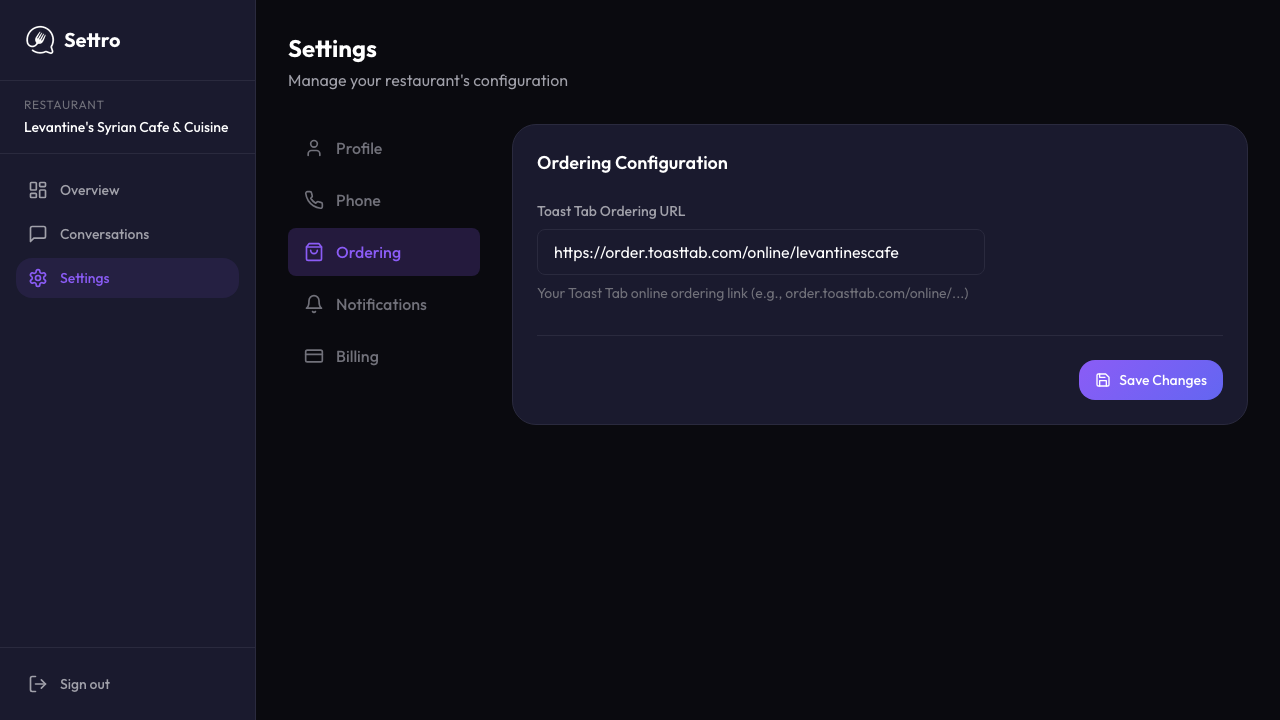
The public site already says orders are built directly in the POS
Settro's homepage FAQ states that orders are built directly in the POS and appear like normal online orders, which is the core public proof behind the direct-order system claim.
A restaurant online ordering system should do more than host a menu link. It should keep direct orders, phone recovery, and message-based ordering close to the POS and the same operating workflow, so guests get a clean direct path and staff do not end up managing another disconnected system.
This hub now surfaces the public proof for Settro's broader online-ordering story: POS-connected ordering claims on the public site, branded Square and Clover workflow pages, and an app screenshot showing ordering configuration managed from the product dashboard.
Settro's homepage FAQ states that orders are built directly in the POS and appear like normal online orders, which is the core public proof behind the direct-order system claim.
Settro's public site names Square and Clover as live integrations, and the branded workflow pages show how direct ordering stays close to those systems.
This route explicitly bridges web ordering, missed-call recovery, message-based ordering, and direct-order economics instead of treating each as a separate product silo.
The strongest online-ordering system uses the system your staff already trust for menus, orders, and fulfillment settings as the operational anchor.
Guests do not always start on the website first, so the direct-order system should still support demand that begins by phone, text, or social message.
The system should reduce extra screens, extra inboxes, and manual order cleanup rather than moving those problems to a different surface.
For many restaurants, the website is only one entry point. A stronger direct-order system also decides what happens when the order starts by phone, text, or social message before the web menu is ever involved.
A missed phone call can roll into text-based order recovery instead of dying in voicemail.
A guest who sees a reel or post can start the conversation in Instagram or Facebook and still stay close to direct ordering.
Square or Clover can remain the operational anchor instead of becoming one more disconnected endpoint.
Because broad direct-order system intent is different from branded POS intent. This page owns the broader workflow question, while the Square and Clover pages own the branded evaluation question.
No. The stronger workflow usually connects those demand sources to the same direct-order system instead of pretending everything begins on the website.
Start here if your question is broad direct online ordering. Jump to the Square or Clover page when the POS is already chosen and you want a more specific workflow comparison.
These routes answer explicit owner questions in plain operator language first. Use them when the search intent is a problem statement, then come back here when you want to evaluate the workflow itself.